Support Levels/Login Types
What are Support Levels/Login Types? Support Levels/Login Types overview
How do I add or edit a Support Level? Adding or editing a support level
How do I disable a Support Level? Disabling a support level
Support Levels/Login Types overview
Each user in the system is assigned a support level, also known as login type.
Those users who do not provide support, such as customers, are classified as End User support level.
Agents can be classified into tiers, such as Tier 1, Tier 2, etc. This classification is taken into account during ticket routing.
The following figure is an example of a company's support level options:
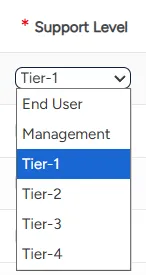
You can set up your support levels according to your organization's needs. However, the End User and Management support levels should not be modified.
The ITCC system comes with several predefined support levels. You can always edit the existing support levels or add new support levels.
Setting up support levels
You can set up support levels at any time.
To set up support levels:
On the left side menu, select Administration.
In the search bar under Search for Admin Configuration Options, type Support Levels and select the Support Levels option that appears.
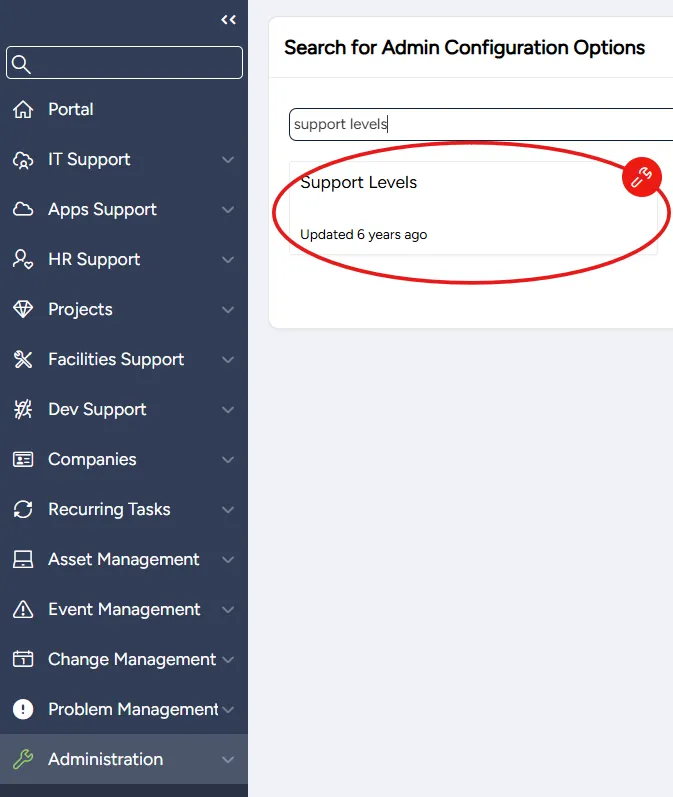
From the Support Levels page, you can:
Adding or editing a support level
You can add a new or edit an existing support level at any time.
To add or edit a support level:
From the Support Levels page:
- To add a new support level: select Add
- To edit a support level: scroll down to the support level you want to edit
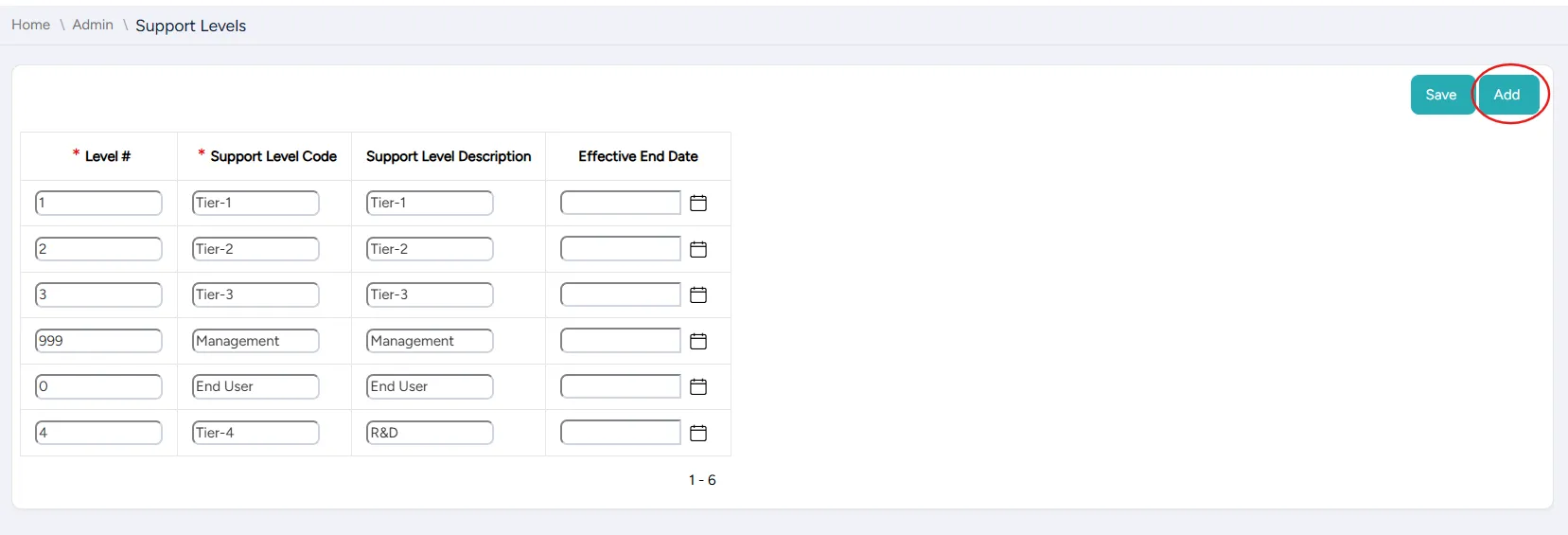
Enter or edit the support level's settings:
Field | Description |
|---|---|
Level # | Enter the support level's number |
Support Level Code | Enter the code name for the support level |
Support Level Description | Enter the description of the support level |
Effective End Date | For a temporary support level: enter a date when it becomes disabled |
Select Save.
Disabling a support level
You can disable a support level at any time. A disabled support level can be enabled at any time.
To disable a support level:
From the Support Levels page, scroll down to the support level you want to disable.
In the Effective End Date column, enter today's date.

Select Save.