Form actions using widgets
You can add actions to tickets by using widgets.
ITCC includes the following widgets:
Widget | Description | Options |
|---|---|---|
Relate Asset | Enables the user to include an asset that is not currently assigned to that user; visible to end user |
|
Enables using tickets to assign assets to a user, without using the asset management module; only available to agents |
| |
Enables using tickets to unassign assets from a user, without using the asset management module; only available to agents | | |
Enables adding action items to a ticket; only available to agents |
| |
Enables including notes in the ticket form | Choose where the HTML notes are displayed: top or bottom of the form | |
Enables including a custom table | Specify table data types |
Adding or editing a widget
You can add a new or edit an existing widget at any time.
To add or edit a widget:
From the tabs at the top, choose Widgets.

For the widget you want to add or edit, turn on the toggle next to its name and configure the settings for this widget.
For more information on a specific widget, see:
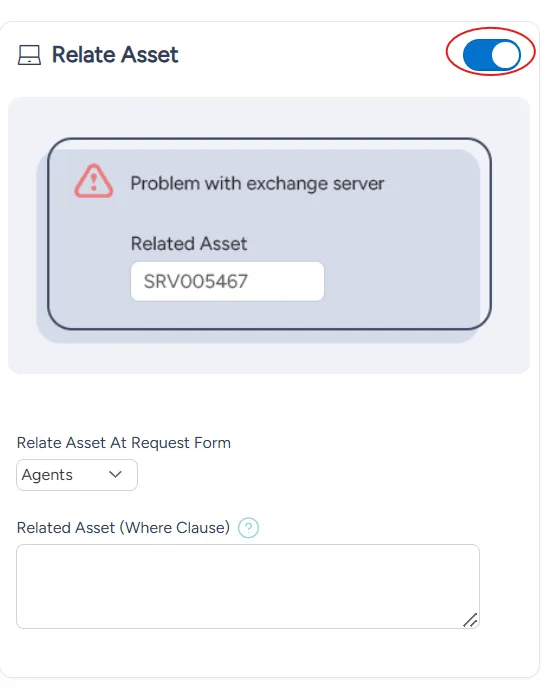
At the bottom right of the page, select Save.
Disabling a widget
You can disable a widget at any time. You can enable a disabled widget at any time.
To disable a widget:
From the tabs at the top, choose Widgets.

For the widget you want to disable, turn off the toggle next to its name.
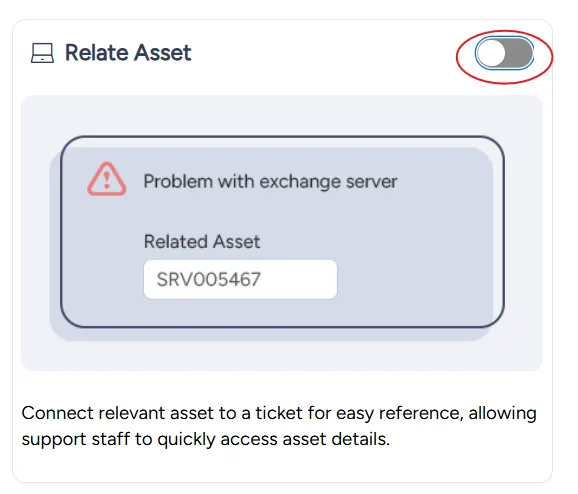
At the bottom right of the page, select Save.