Custom Table widget
This widget enables you to add a custom table to the ticket.
In the following example, the Firewall Rule Change Request form uses the Custom Table widget to include a 7-column rule table.
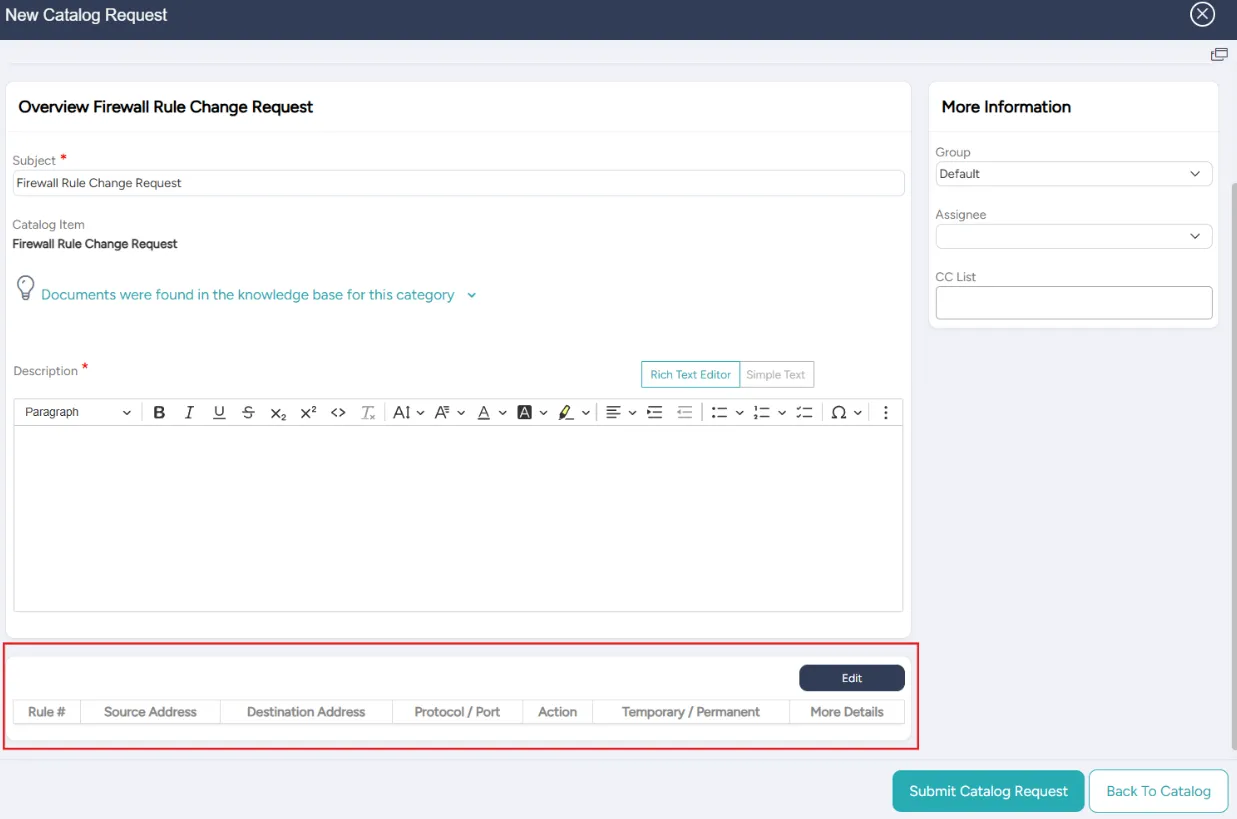
The table can have up to 12 columns. Each row contains a label and a type.
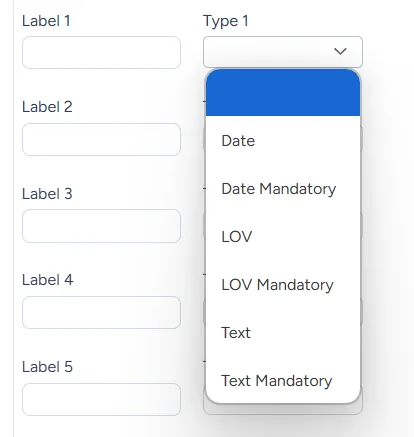
The system allows the following types:
Type | Description |
|---|---|
Date | Date or empty |
Date mandatory | Date (cannot be empty) |
List of values (LOV) | Table containing a list of values or empty |
LOV mandatory | Table containing a list of values (cannot be empty) |
Text | Text or empty |
Text mandatory | Text (cannot be empty) |
Adding or editing a Custom Table widget
You can add or edit a Custom Table widget at any time.
To add or edit a Custom Table widget:
In the list of widgets, turn on the toggle for the Adding Custom Table widget.
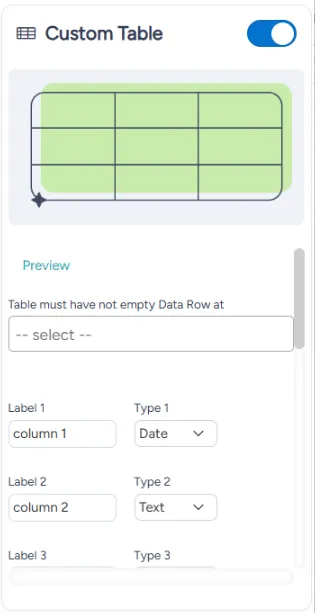
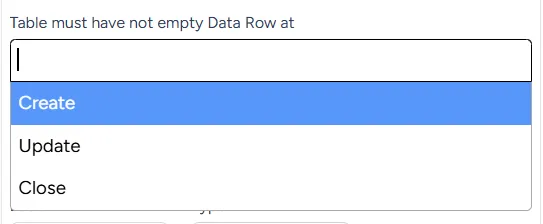
In the Table must have not empty Data Row at dropdown menu, choose if the data is validated at:
- Create
- Update
- Close
For each column, enter the label and choose the type from the dropdown menu.
At the bottom right of the page, select Save.